 Bokwick · macOS
Bokwick
Bookkeeping for people who run a trade or service business — and want the books right without it becoming a second job.
A landscaper, a repair shop, a crew, a small charter outfit. Bokwick opens on Today: who's late paying, which bills are due, what's waiting in the bank feed, and how the month is going. One click takes you to the work. Underneath are proper double-entry books your accountant will recognise.
- Invoices, estimates, bills and the bank feed, on real double-entry books
- Timesheets, pay runs, a crew schedule, job costing, and a page for every truck and lift
- Pay once — no monthly subscription, no account to sign up for
- Your books are one file on your Mac, backed up every day; everything but AI works offline
Want a ping at launch? Email me.
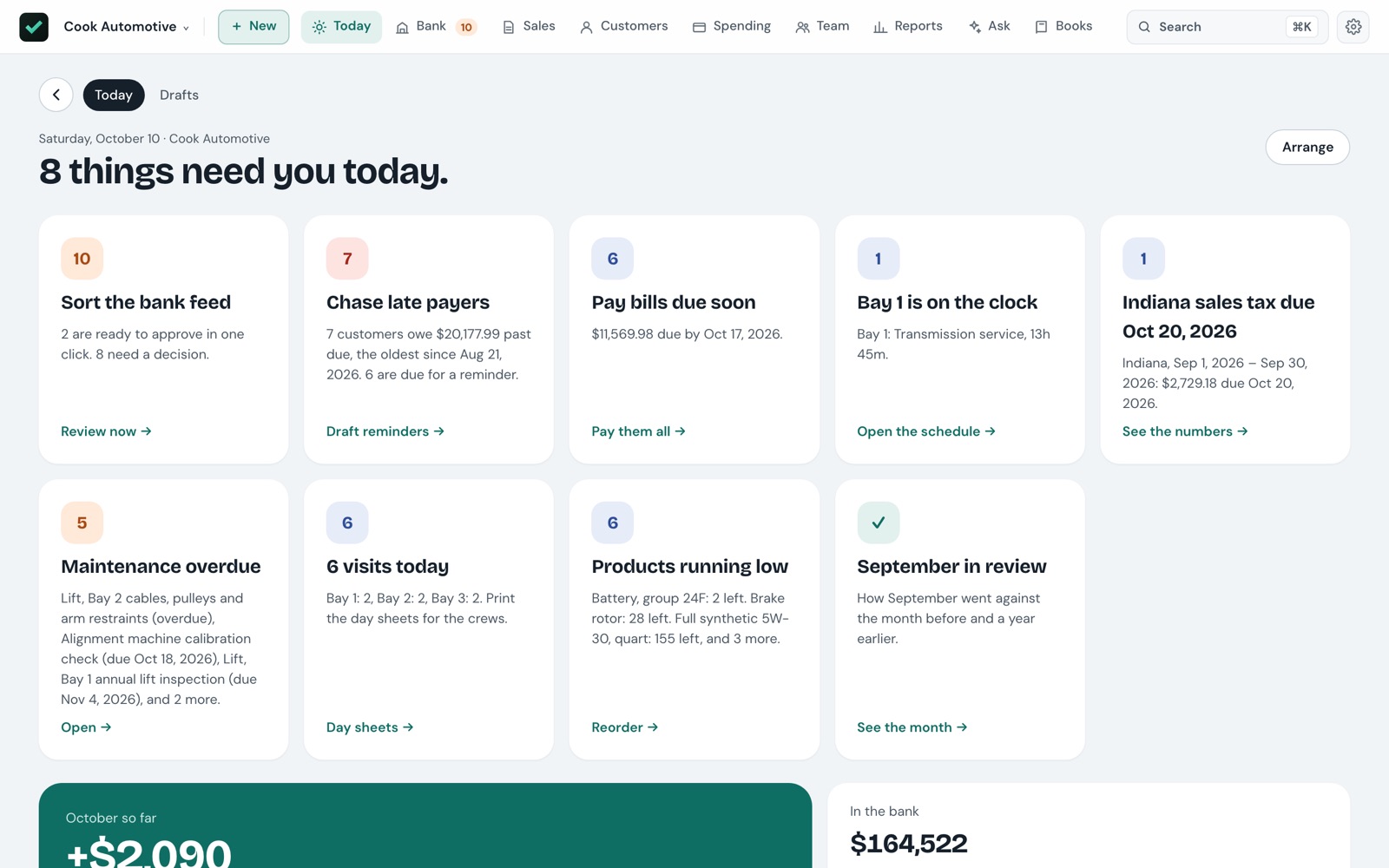
The four jobs of keeping books, in one place
Get paid
Invoices, estimates and sales receipts emailed as PDFs from your own Mail. Estimates signed on screen, then billed in parts as the job goes. Late notices that get firmer as an invoice ages.
Keep the books
Import a statement and Bokwick sorts it into what matches, what your rules filed, and the few lines that need you. Reconcile each month and close the books when it's done.
Run the crew
A week schedule by crew, day sheets to print, timesheets as a grid, and pay runs. Bokwick records payroll; your payroll service still works out the taxes.
Ask in plain words
"Which customers were slowest to pay this year?" — an answer with a chart. AI can draft a bill from a photo of a receipt. It only runs when you ask.
From the estimate to the money in the bank
Every customer has a page that knows them: what they owe, what they've bought this year against last, how many days they take to pay, and everything you've sent, said and logged.
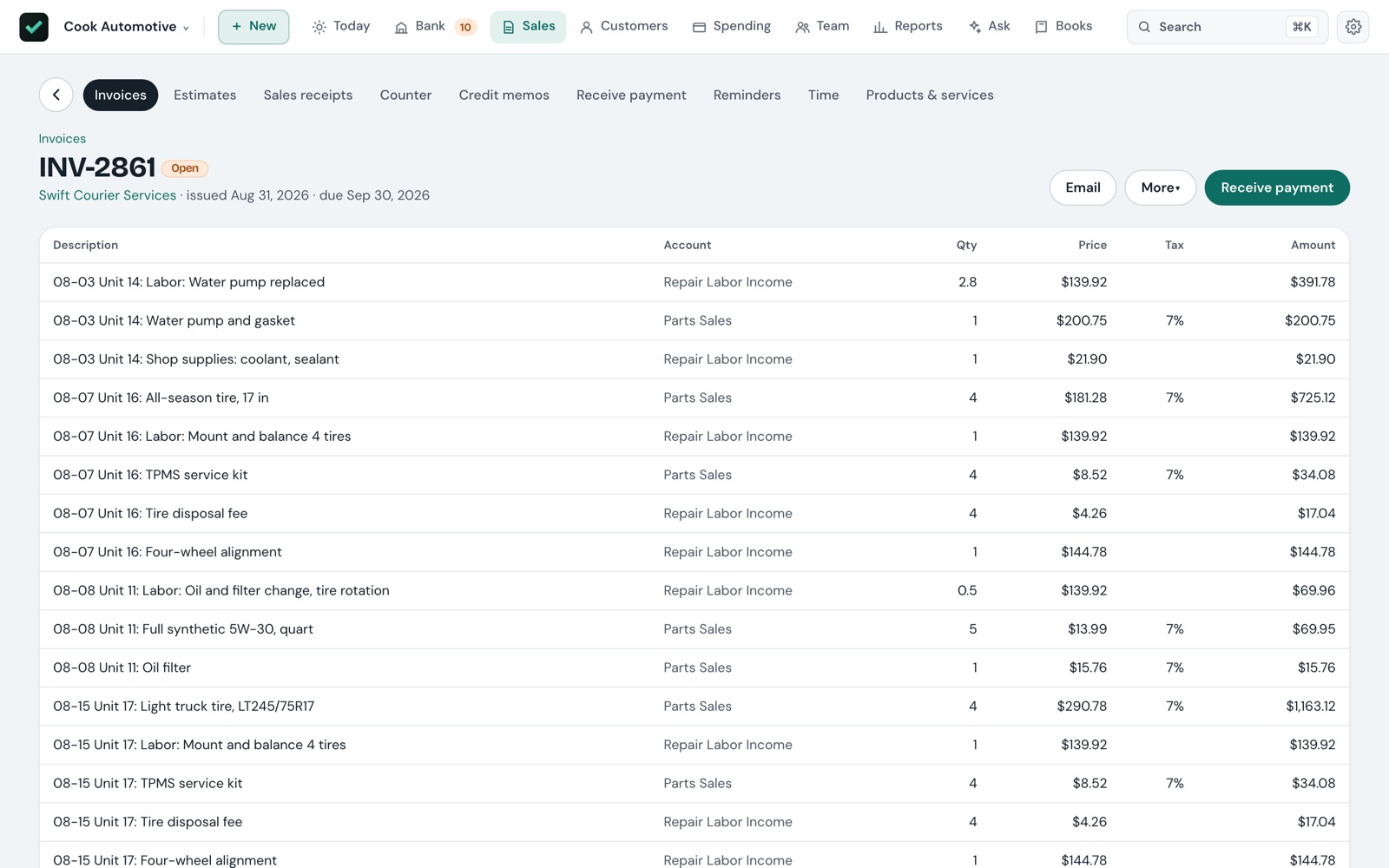
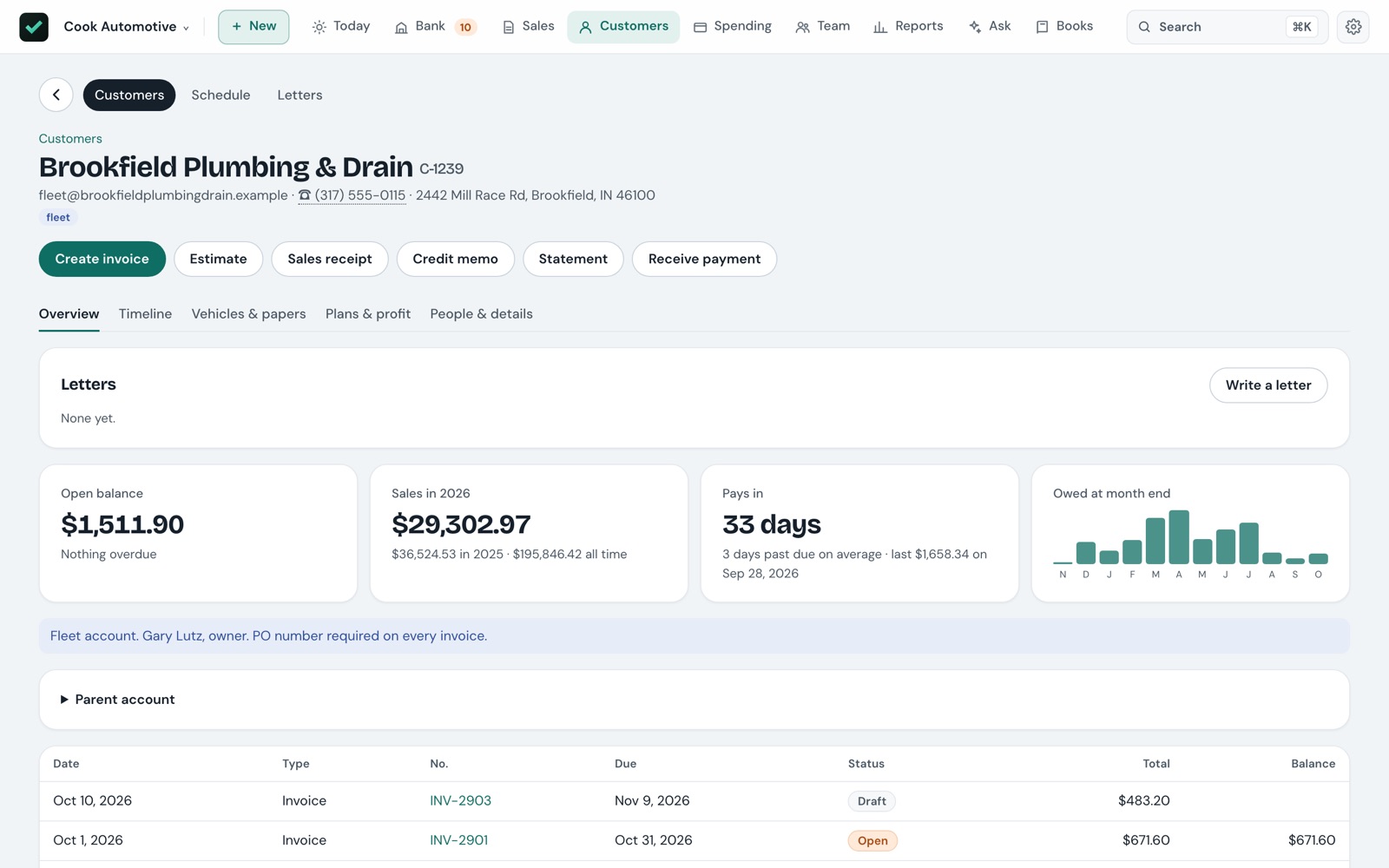
Estimates that close
Offer good, better and best side by side on one proposal. The customer signs on screen with a finger or the trackpad, and the signed copy files itself with the job.
Deposits and progress billing
Take a deposit before the work starts — held as a deposit, not income — then bill the estimate in parts as the job goes, and see what's left to bill.
Service plans
Regular work — lawn care April through November, a monthly maintenance visit — becomes draft invoices in season, grouped into one batch on Today to check and send.
Reminders that escalate
One card per late customer, longest-waiting first, with a reminder ready to go: friendly, then firm, then a final notice, on your own schedule. Opens in Mail with a statement attached.
Statements and late fees
A statement for any customer, or one PDF of everyone's to print and mail. Late fees are opt-in, never charged on a fee, and you tick which ones to charge.
A timeline for every customer
Log a call, a text or a site visit with a follow-up date — or type
log call smith: left vm, call back fri into search. Follow-ups that are due show on Today.
The bank feed, sorted into three piles
Import your bank's statement — CSV, or the OFX, QFX and QBO files banks offer for Quicken and QuickBooks — and Bokwick sorts every line before you look at it.
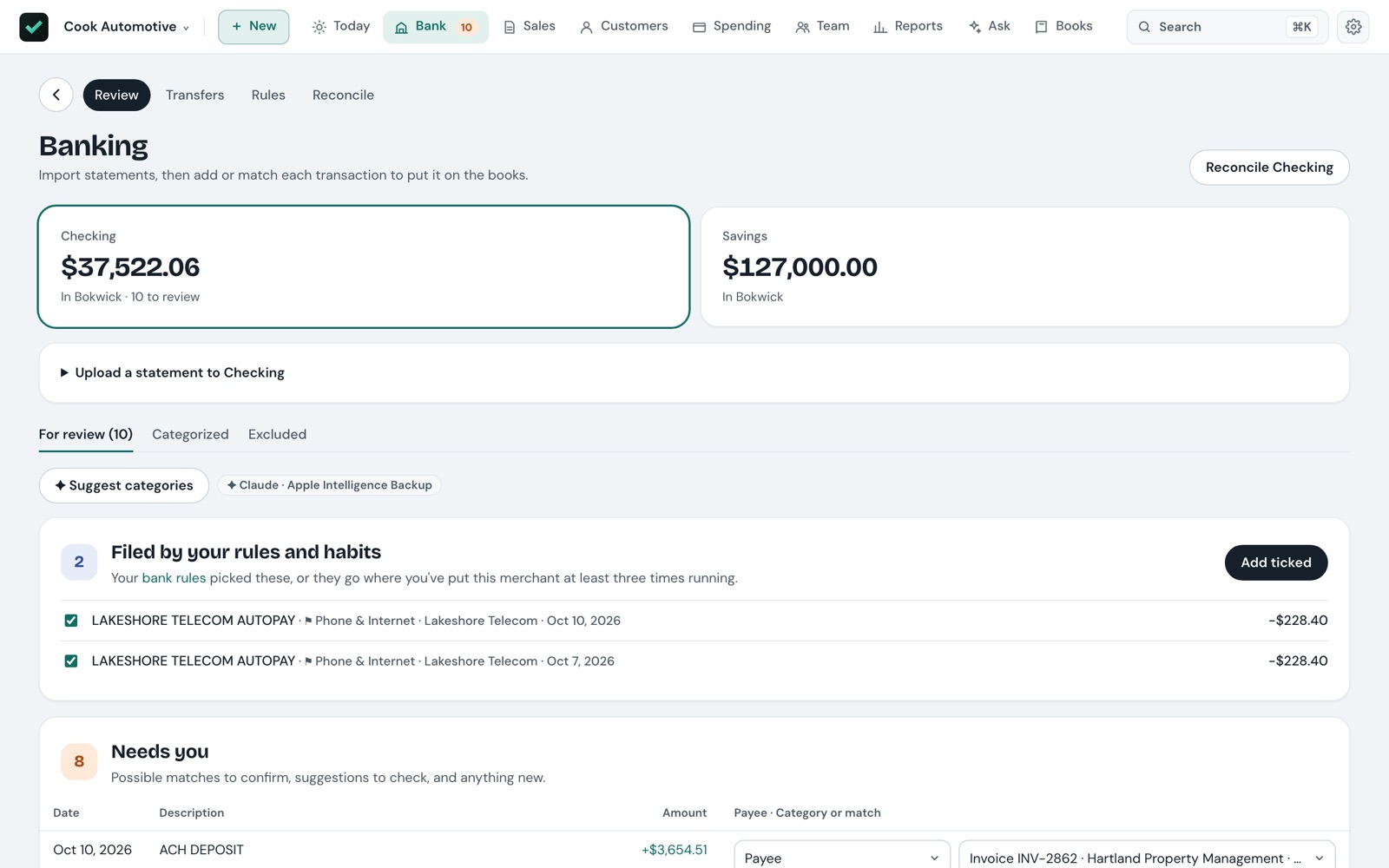
Exact matches
A payment for the same amount as an open invoice or bill, from a customer or vendor the bank line names, is matched for you. Untick any you'd rather check yourself.
Filed by your rules and habits
Rules like "FIGMA, money out → Software" file lines on import. File the same merchant the same way a few times and Bokwick learns it, with no rule or AI needed.
Needs you
Amount-only matches, possible double charges and anything new. Tick "Always file this merchant this way" and the rule is made as you go. Everything can be undone.
Reconcile and close
Tick what's on the statement until the difference is $0.00. Then close the books through a date, and nothing before it can be posted, reversed or undone until you reopen it.
Who's where, how long they worked, and what they're paid
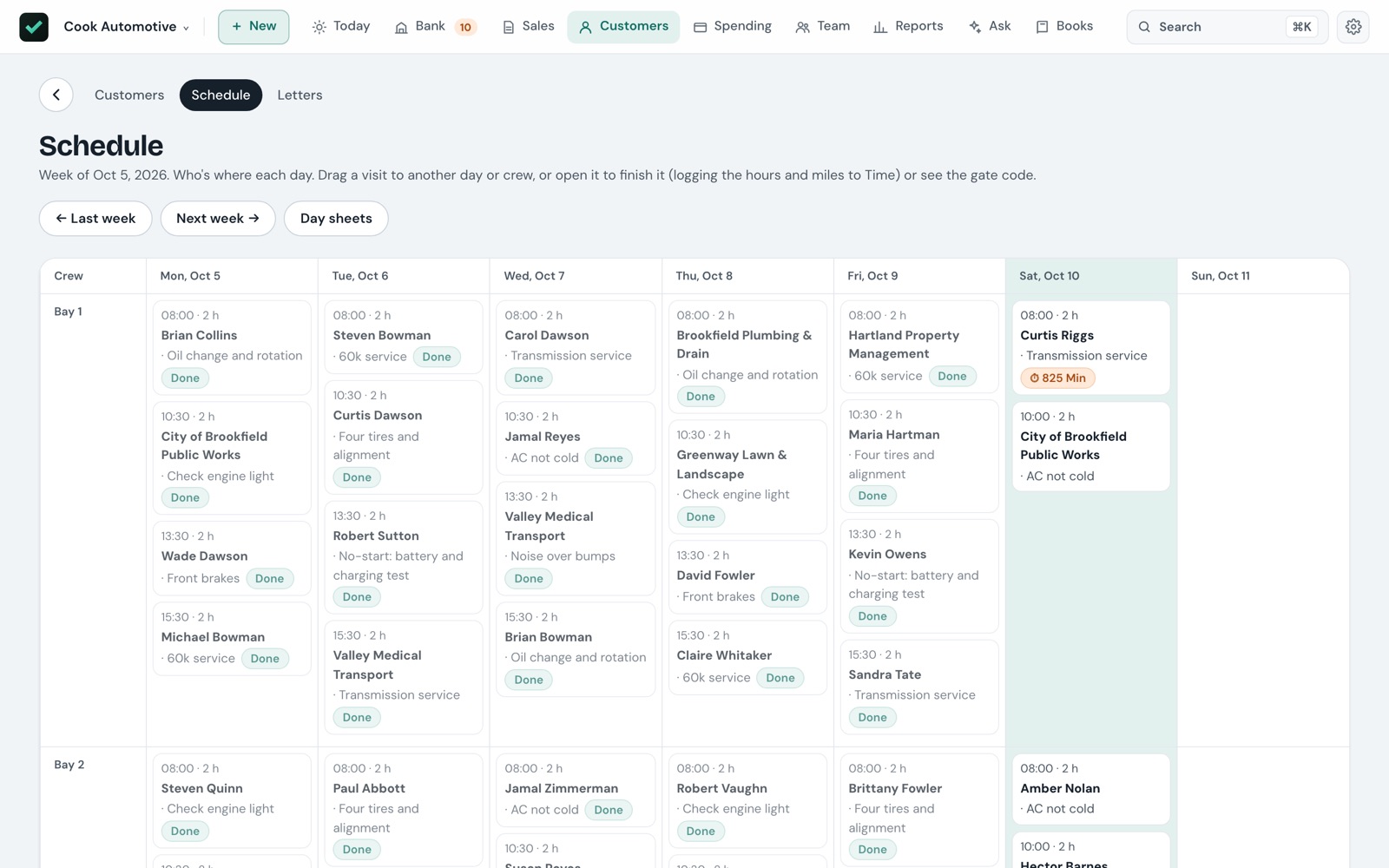
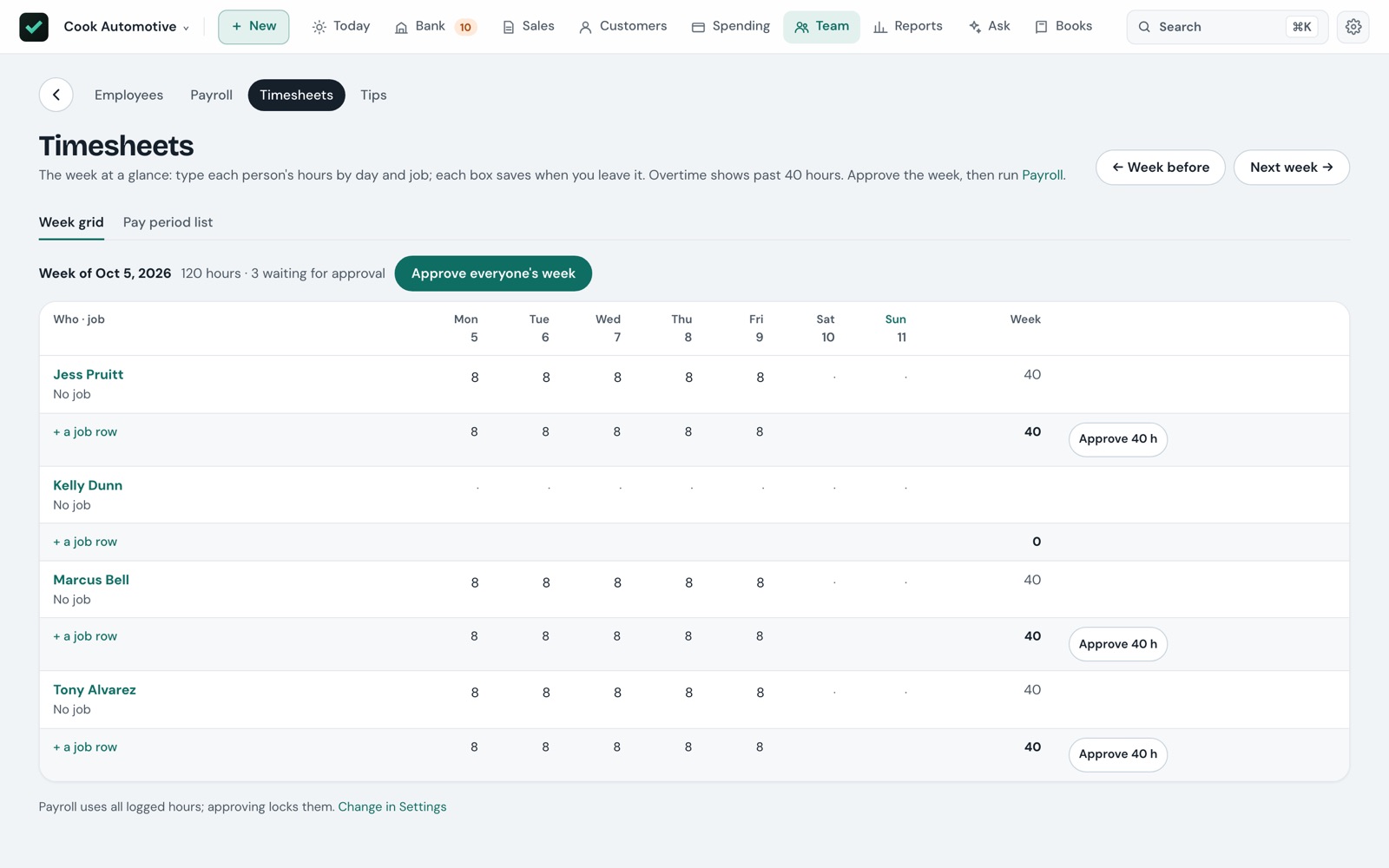
The schedule, the time clock, timesheets and payroll share the same hours, so a job's labour cost is right without anyone typing it twice.
Schedule and day sheets
Book visits by crew, repeat them, and see clashes flagged. Print one day sheet per crew with each stop's address, phone, gate code, pets and notes, in order.
Time clock
Clock a crew in and out on a visit. When it's marked done, the clocked time — to the quarter hour — is what's logged, along with the miles driven.
Pay runs
Pick the period and each person's hours fill in gross pay. Enter what was withheld from your payroll service, and the run posts wages, liabilities and net pay. Pay stubs and time off included.
Sign-in by role
Share it on your own network if you like: an accountant sees everything but can't approve, the office handles customers and sales, and crew see only their day. Off until you turn it on.
Know what each job made, and what each machine is worth
A jobs board
Lead, quoted, approved, scheduled, in progress, done — with how much of each quote is billed, what's left to bill and what's owed, on one board.
Profit by job, labour included
Crew time is costed at each person's own rate plus your share of payroll taxes. You're warned when a job runs over its estimate.
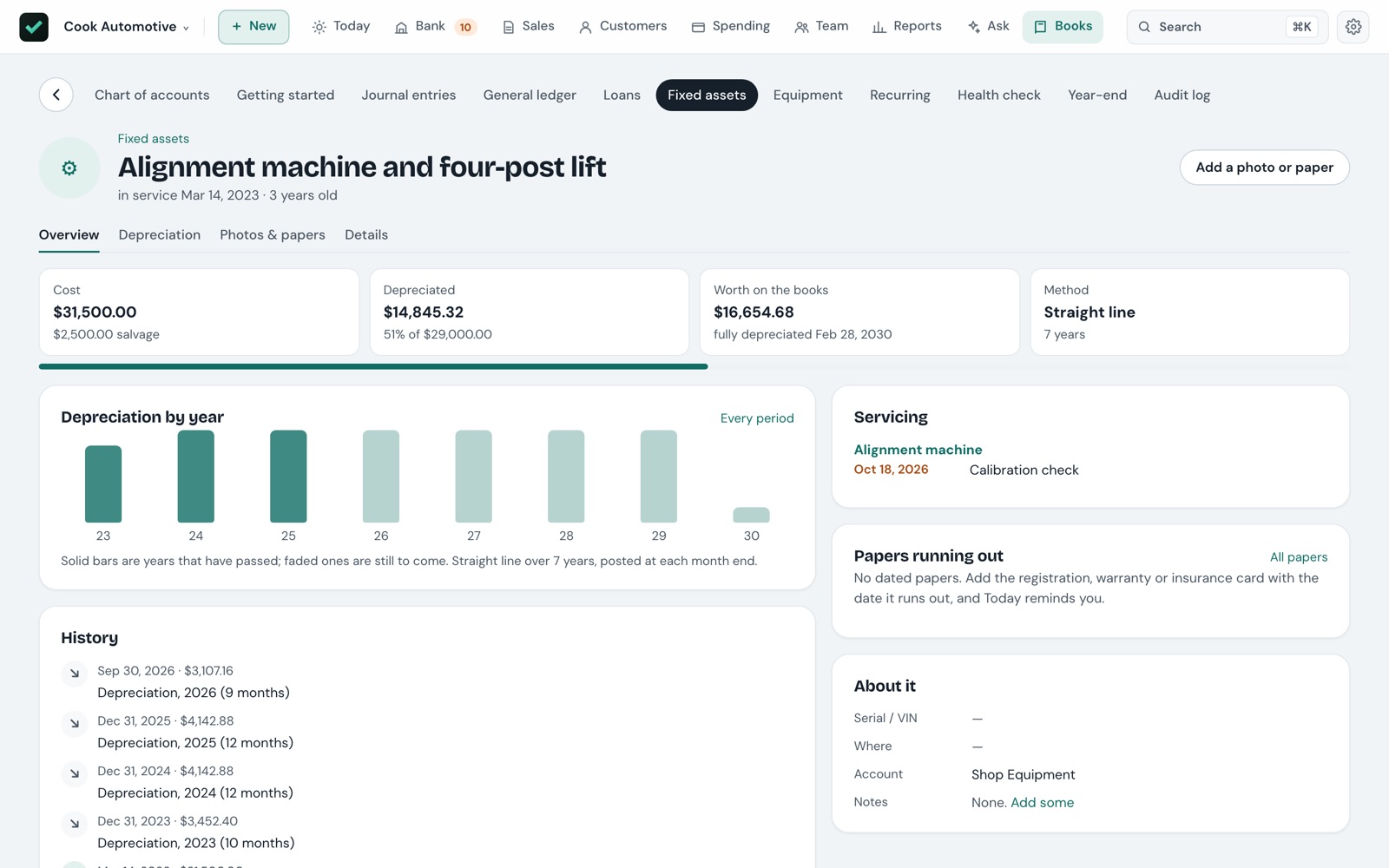
Fixed assets and loans
Straight-line or MACRS depreciation posted for you. Loans split each payment into interest and principal, and show what's still owed.
Equipment by hours or calendar
Trucks, mowers, lifts and aircraft with an hour meter and service intervals — oil every 50 hours, an inspection every 12 months — and a warning on Today before each is due.
The numbers, and what changed
Profit and loss, balance sheet, cash flow, trial balance and the general ledger — each one comparable to the period before or a year earlier, and every amount a link to what's behind it.
Worth a look
Plain checks on the numbers: the same bill twice from one vendor, an expense well above its usual month, a charge four times a vendor's normal. Each can be dismissed.
Sales tax, Schedule C and 1099s
Sales tax worked out per agency and filing period, with a reminder before it's due. Income and expenses by Schedule C line, and 1099-NEC copies for contractors.
Estimated taxes
For a sole proprietor: this year's profit projected to the full year, self-employment tax, and the four quarterly due dates with what's suggested and what's paid.
Year-end, for your accountant
A checklist for the year just finished, each item linked to where to fix it, then close the year and hand over a package your accountant can work from.
Type what you want
One box over everything
⌘K finds invoices by number, customers by phone, accounts by code, and any amount — type
949 and every document for exactly that much comes up.
Commands that fill the form
invoice kingsley 949 october work, bill rope supply 120,
report profit last year. The right form opens filled in; nothing is saved until you save it.
Questions, answered with a chart
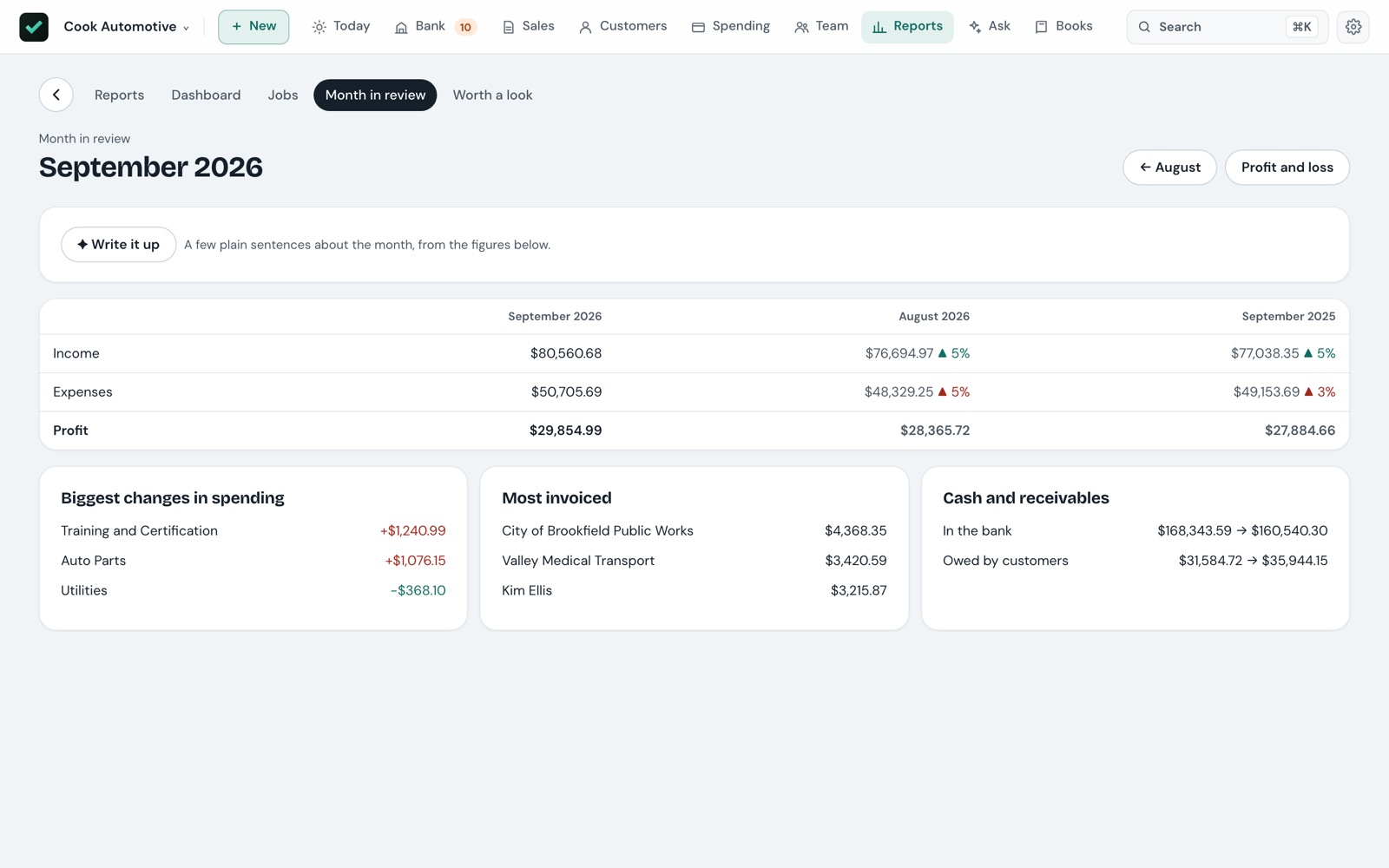
Ask about your own books in plain words and get an answer from your own figures. Month in review writes itself up too — and an exact figure that isn't in the books is rejected.
Drafts from paper
Hand it a receipt, a vendor's bill or a letter and it drafts the entry for you to check. AI uses your own Claude API key, or Apple Intelligence on supported Macs.
Built for businesses that send a truck
Pick your kind of business and Bokwick sets up the accounts it usually has — on the right tax lines — and its common services with typical prices. Sections you don't use switch off.
Your books are a file you own
No account, no lock-in
Nothing to sign up for. Export everything — the journal, every report, invoices, bills and contacts — to CSV whenever you like.
Backed up and checked
A backup every day, checked after it's made, thirty kept — with copies in iCloud Drive if you want them, so a lost Mac doesn't take the books with it.
Never sends for you
Invoices, reminders and letters open in your own mail app. You look them over and press send.
It checks itself
A health check ties every account to the documents behind it, and an audit log records every change in plain words — what it was before, and who made it.
Before you ask
Can I move over from QuickBooks?
Yes. Export your accounts, customers, vendors, products, open invoices, unpaid bills and a trial balance as CSV, and Bokwick sets your books up from them. Running it again only adds what's new.
Does it do payroll taxes?
No. Bokwick records payroll — hours, pay runs, stubs, time off, what was withheld and paid. Your payroll service or accountant works out the taxes and files them.
Does my data leave my Mac?
Only when you send it. If you ask the AI something, that question and the figures it needs go to Anthropic with your own key — or stay on your Mac with Apple Intelligence.
Do I need AI?
No. Everything works without it. Add your own Claude API key, or turn on Apple Intelligence on a Mac that supports it, if you want it.
Windows? iPhone?
Bokwick is a Mac app. On your iPhone you can save receipts and bills to a folder in iCloud Drive, and they show up in the app.
Is it a tax adviser?
No. Bokwick keeps your books; your accountant still has the last word on taxes.
Pay once. Keep using it.
Bokwick is in its last stretch before release, as a one-time purchase for the Mac with no monthly fee.