 Fermo · macOS
Fermo
Bookkeeping for people who run a small business — a trade, a shop, a studio, a practice or a farm — and want the books right without it becoming a second job.
Invoices, the bank feed, a counter for walk-in sales, the crew's schedule and payroll records live in one app on your Mac, on proper double-entry books your accountant will recognise. It opens on Today: who's late paying, what's due, what the bank brought in, and how the month is going.
- Get paid: invoices, estimates signed on screen, and a Pay online link through your own Stripe
- Sell at the counter: a register with barcodes, receipts, tap-to-pay by QR code and returns
- Close the month in one go: the bank filed, reconciled and written up for you to check
- Pay once — no monthly subscription, no account to sign up for
For Macs with Apple silicon, on macOS 27 or later. Want a ping at launch? Email me.
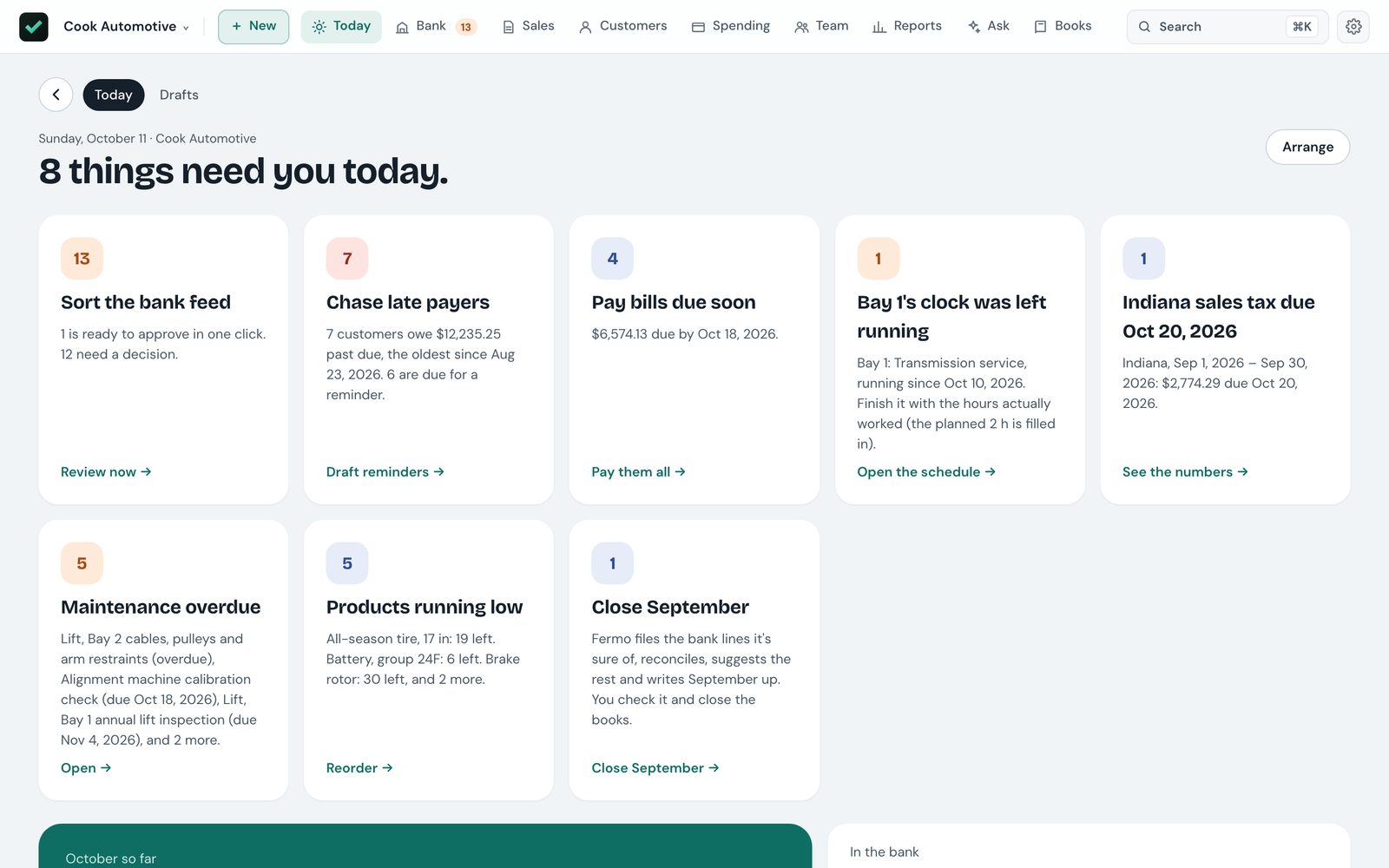
Everything a small business does with money, in one place
Get paid
Invoices and estimates emailed as PDFs from your own Mail, paid online through your own Stripe, and a list of who to call today with the text already written.
Sell at the counter
A register for walk-in sales: scan a barcode, take cash, card or a QR code on the customer's own phone, print a receipt, and count the drawer at close.
Keep the books
The bank feed sorted before you look at it, and a month close that files, reconciles and writes itself up — you tick what's right and close.
Run the crew
A schedule by crew or bay, timesheets and pay runs, and a page on each person's phone for their day, their hours and their pay stubs.
From the estimate to the money in the bank
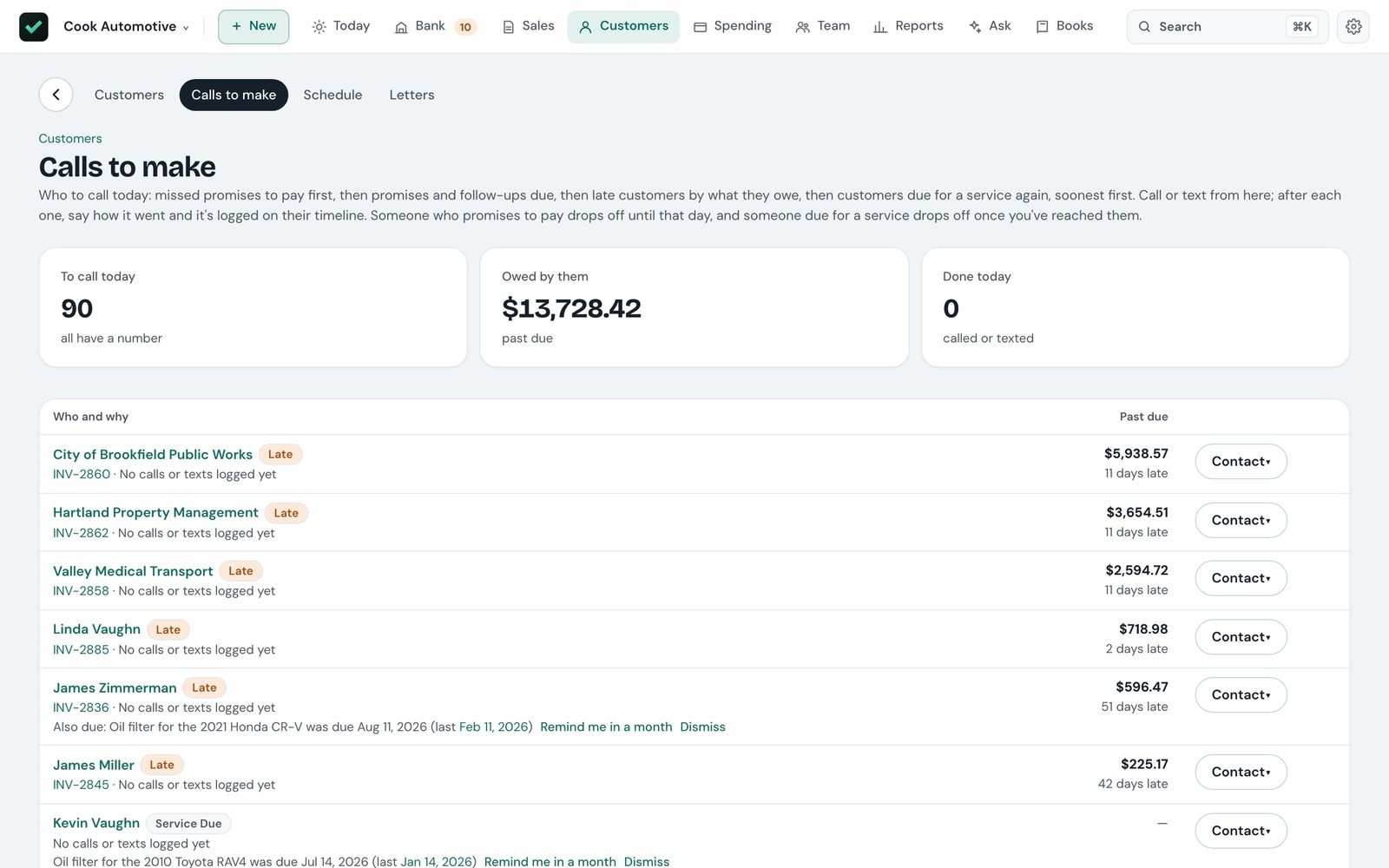
Every customer has a page that knows them — what they owe, how fast they pay, and every call, text and email — and Fermo keeps a list of who needs a call today.
Pay online, through your own Stripe
Every open invoice gets a Pay online link — in its email and on the PDF — for card or bank transfer. Each payment is recorded once it clears, with Stripe's fee.
Estimates that close
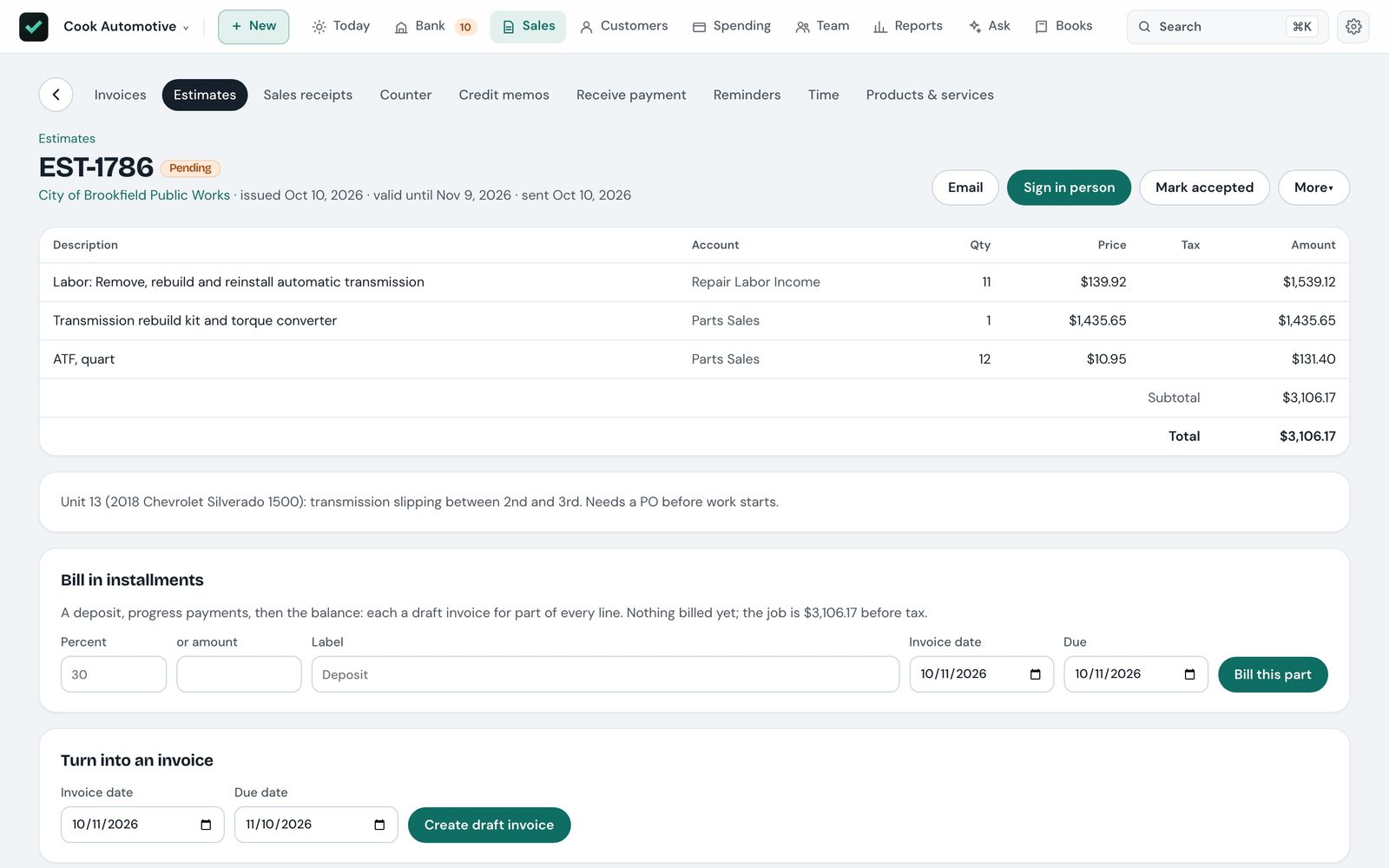
Offer good, better and best side by side. The customer signs on screen, the signed copy files itself with the job, and a deposit is held as a deposit, not income.
Calls, texts and promises to pay
Call or text from the list; texts open in Messages already written. Log "promised to pay" with a date and they're left alone until then — and back on top if the money doesn't come.
A portal for your customers
Send a customer their private link: their balance, open and paid invoices, estimates to sign, upcoming visits, and a way to ask for one. Off until you turn it on.
Reminders that escalate
Late notices that get firmer as an invoice ages, on your own schedule, opened in Mail with a statement attached. Service reminders bring customers back every few months.
Service plans
Regular work — lawn care through the season, a monthly maintenance visit — becomes draft invoices grouped into one batch on Today, to check and send.
A register for the busy part of the day
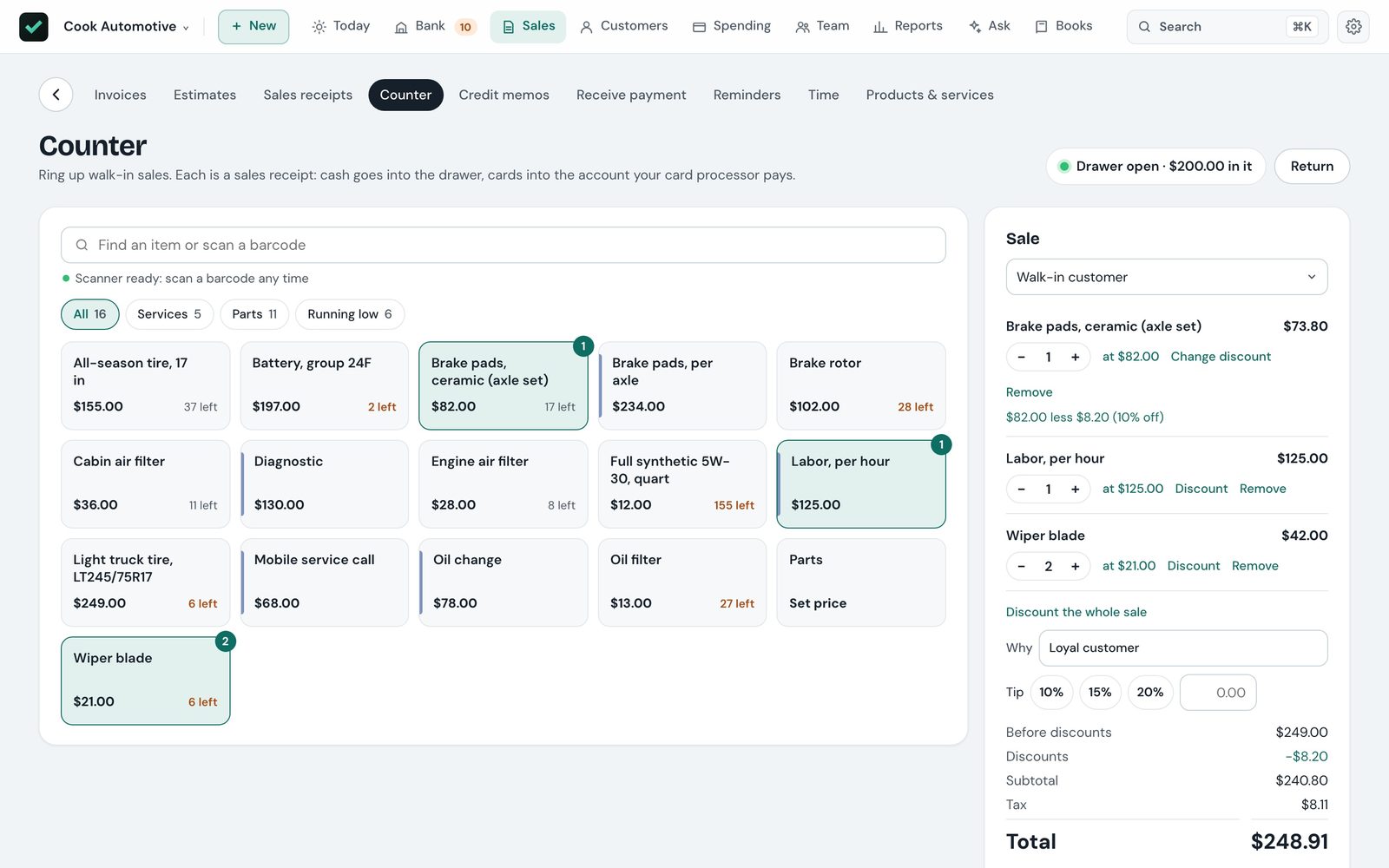
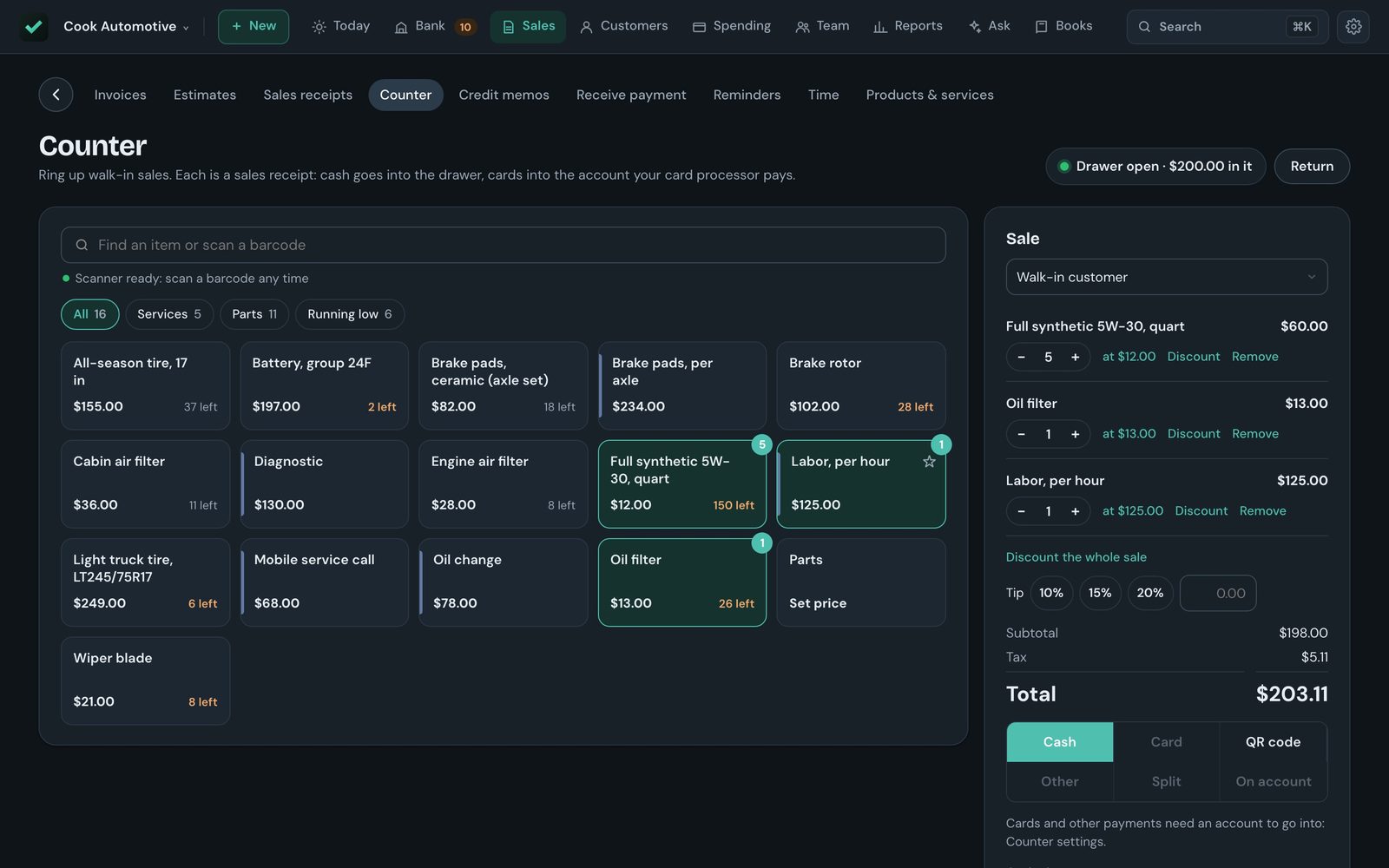
Ring up walk-in sales from the same price list and stock as your invoices. Every sale lands in the books as it happens — income, sales tax, stock and the drawer.
Ring it up fast
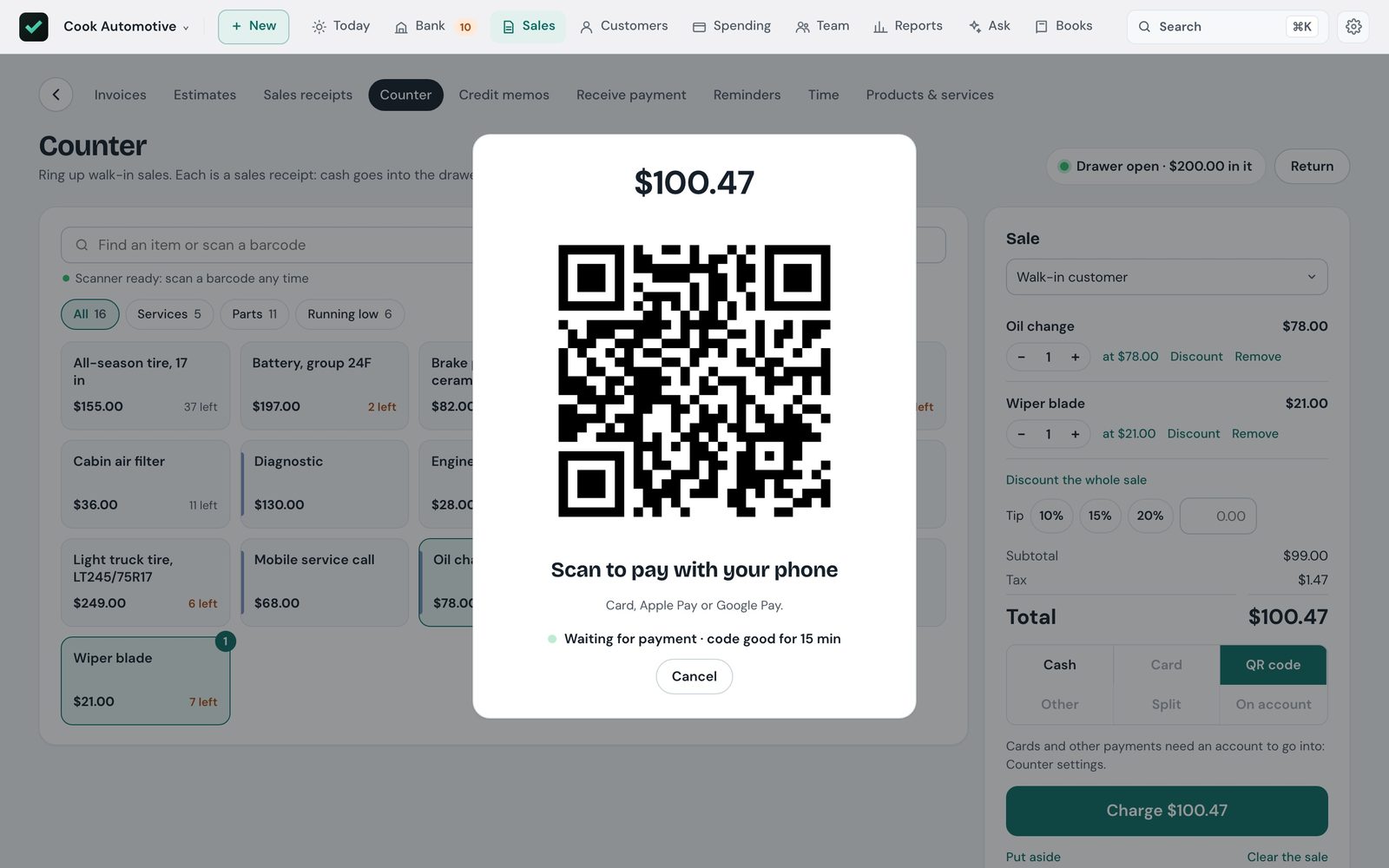
Search or scan a barcode, pin favorites to number keys, and take cash with the change due in large type. Print a receipt or email one.
Every way to pay
Cash, card, a QR code paid by card or Apple Pay through Stripe, a split between them, or charged to the customer's account as an invoice on their terms.
Discounts, tips and sales put aside
Discount a line or the whole sale and the sales tax comes down with it. Tips go to their own account. Put a sale aside and pick it up at any register.
Close the drawer
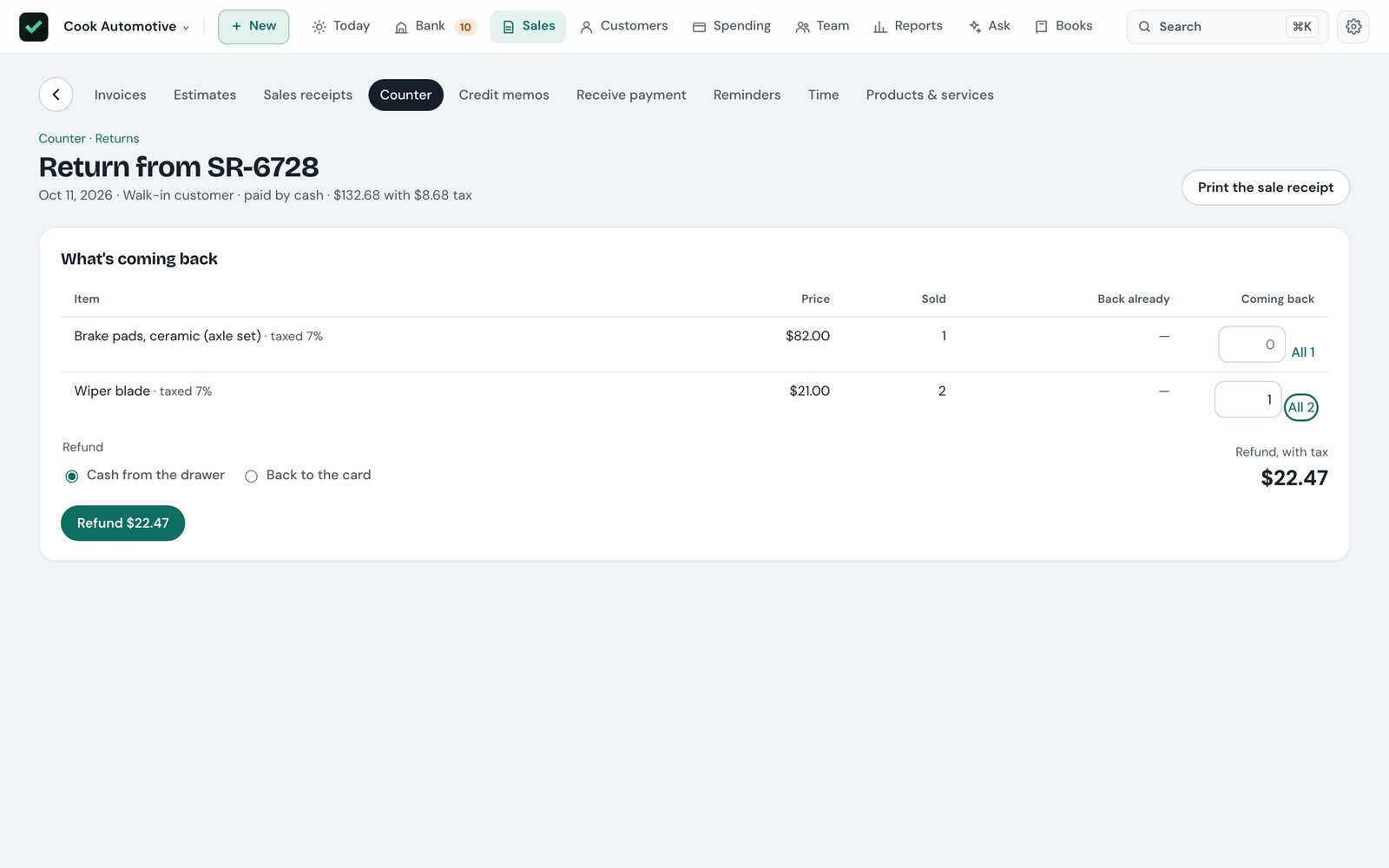
Count by bills, coins and rolls, check it against what's expected, and print a Z report. Crew discounts and refunds stay within the limits you set.
The bank sorted, and the month closed in one go
Import your bank's statement — CSV, or the OFX, QFX and QBO files banks offer — and Fermo sorts every line before you look at it. At month end, the close does the rest.
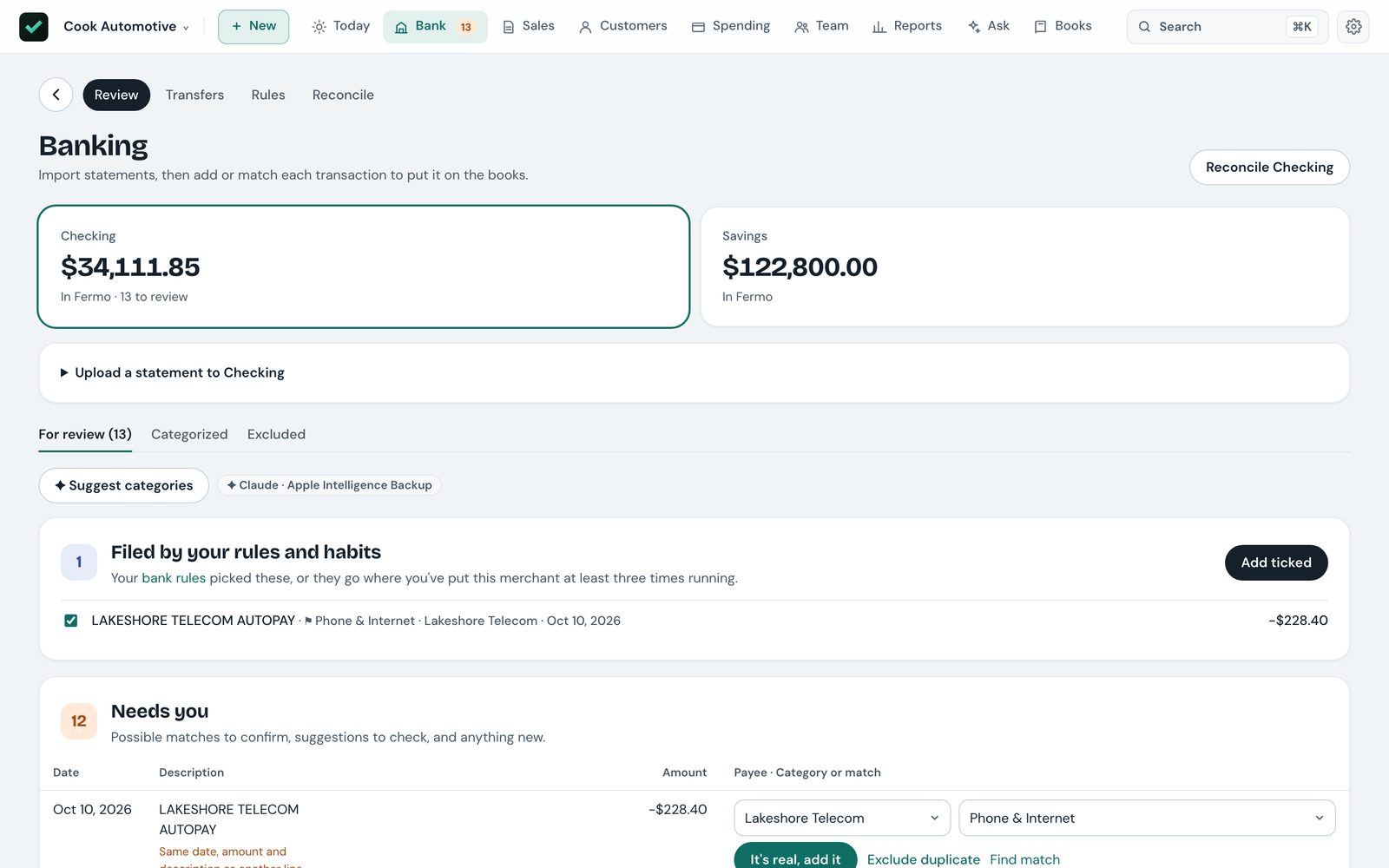
Exact matches
A payment for the same amount as an open invoice or bill, from someone the bank line names, is matched for you. Untick any you'd rather check.
Filed by your rules and habits
Rules file lines on import, and Fermo learns merchants you file the same way a few times. The few lines left need you — and everything can be undone.
Close the month in one go
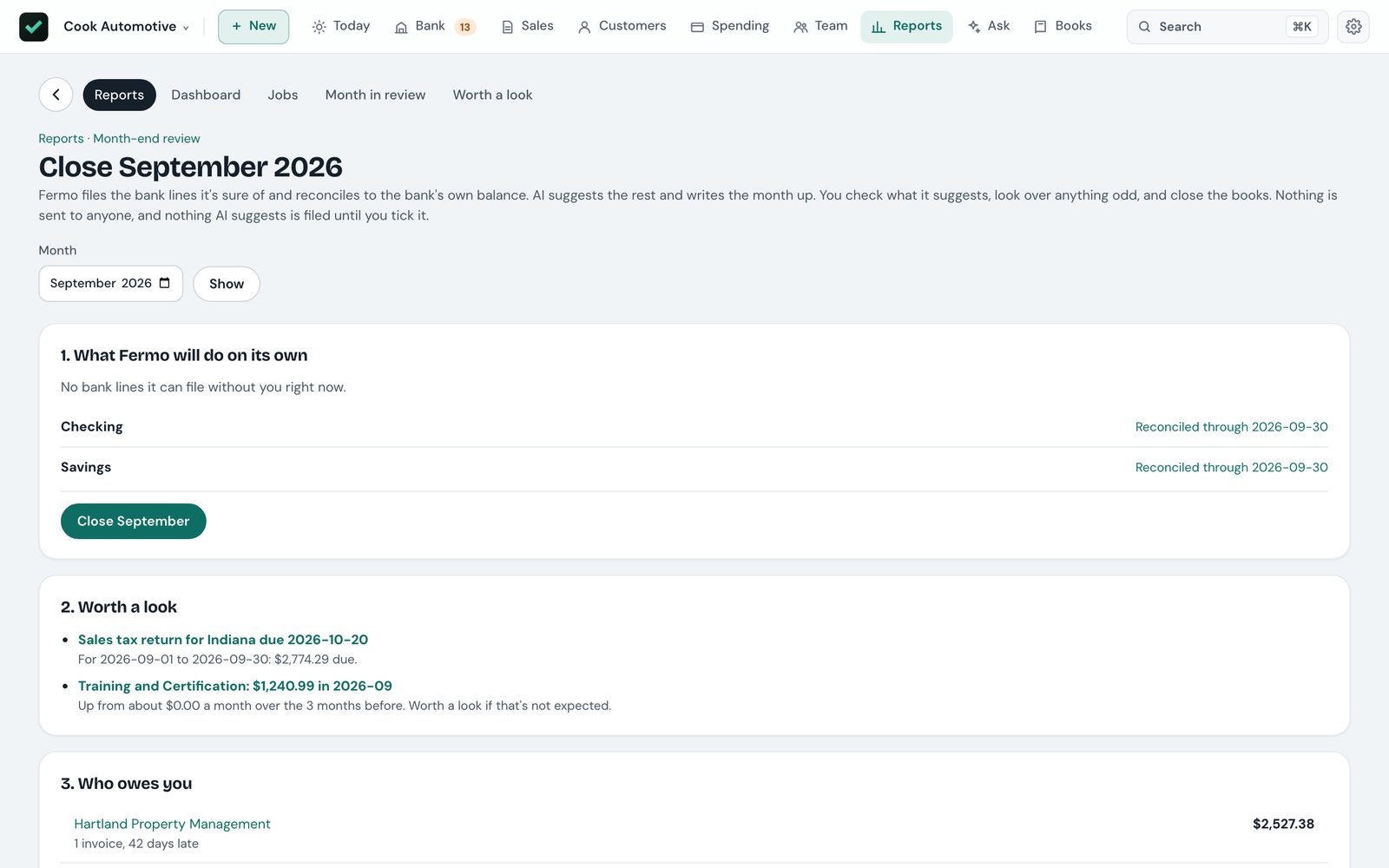
Fermo files the lines it's sure of, reconciles each account to the bank's own balance, then AI suggests the rest and writes the month up. You tick what's right and close the books yourself.
It checks itself
A health check ties every account to the documents behind it, and an audit log records every change in plain words — what it was before, and who made it.
Who's where, how long they worked, and what they're paid
The schedule, the time clock, timesheets and payroll share the same hours, so a job's labour cost is right without anyone typing it twice.
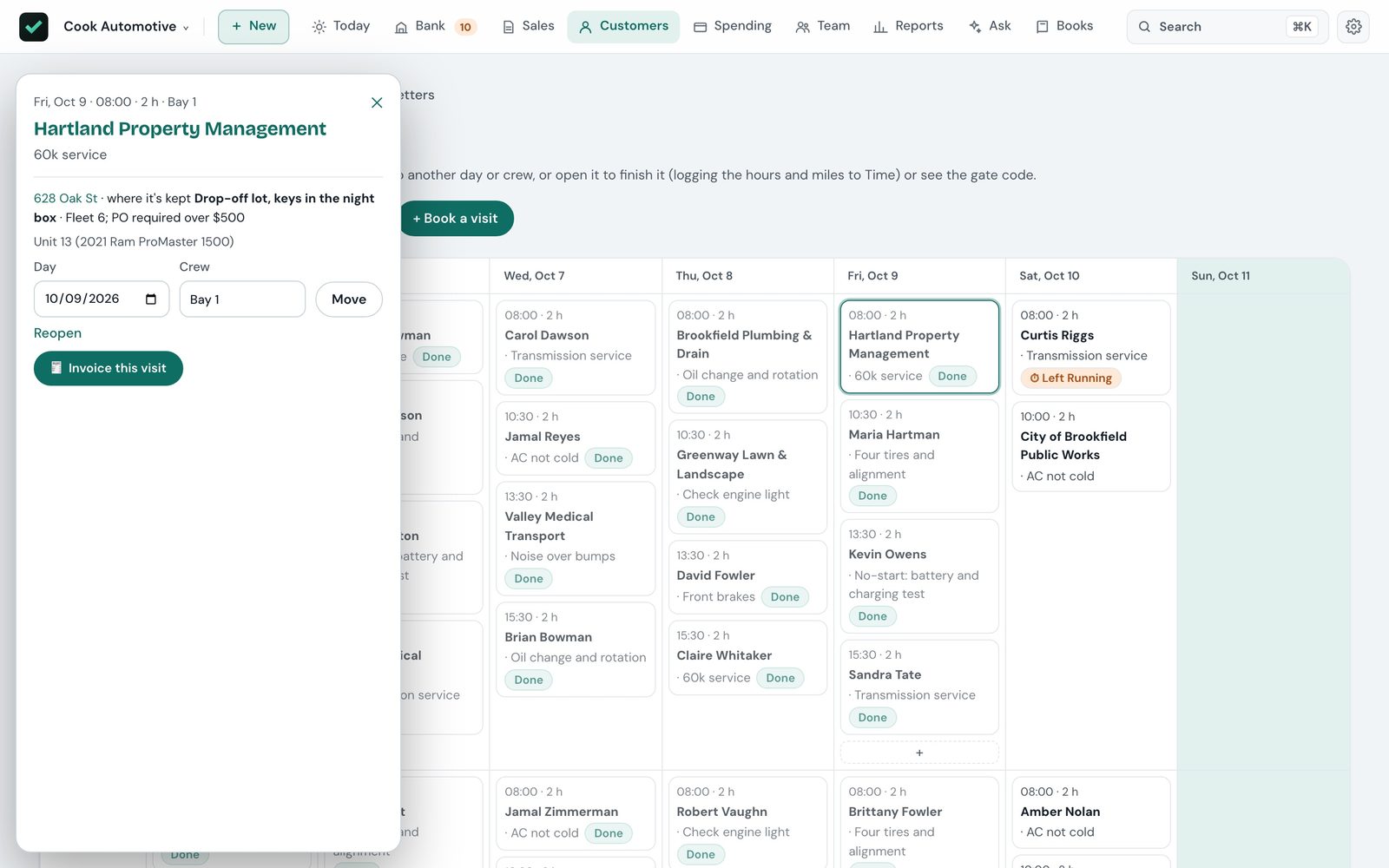
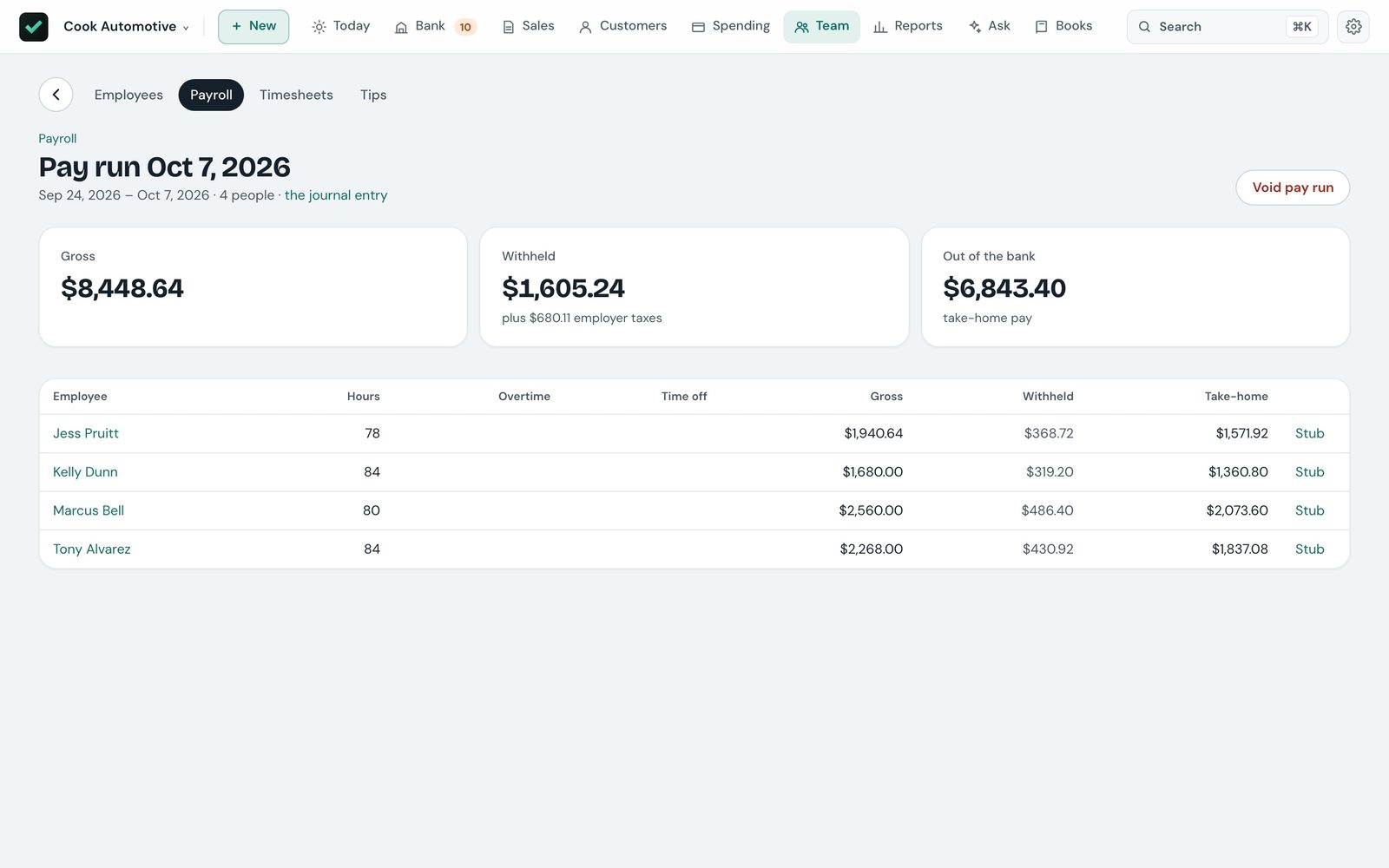
A page on each person's phone
Crew sign in on their phone to My day — today's visits with the clock — their hours this week, their own pay stubs and time off, and their details to keep up to date.
Invoice from the job
Invoice a visit straight from the schedule. Let a crew member write the invoice on site if you like; it comes to the office as a draft with their name on it.
Pay runs and levels
Hours fill in gross pay; enter what your payroll service withheld and the run posts wages, liabilities and net pay. Hire from levels that set title, pay and time off.
Sign-in by role
An accountant sees everything but can't approve, the office handles customers and sales, and crew see only their day. Off until you turn it on.
Know what each job made, and what each machine needs
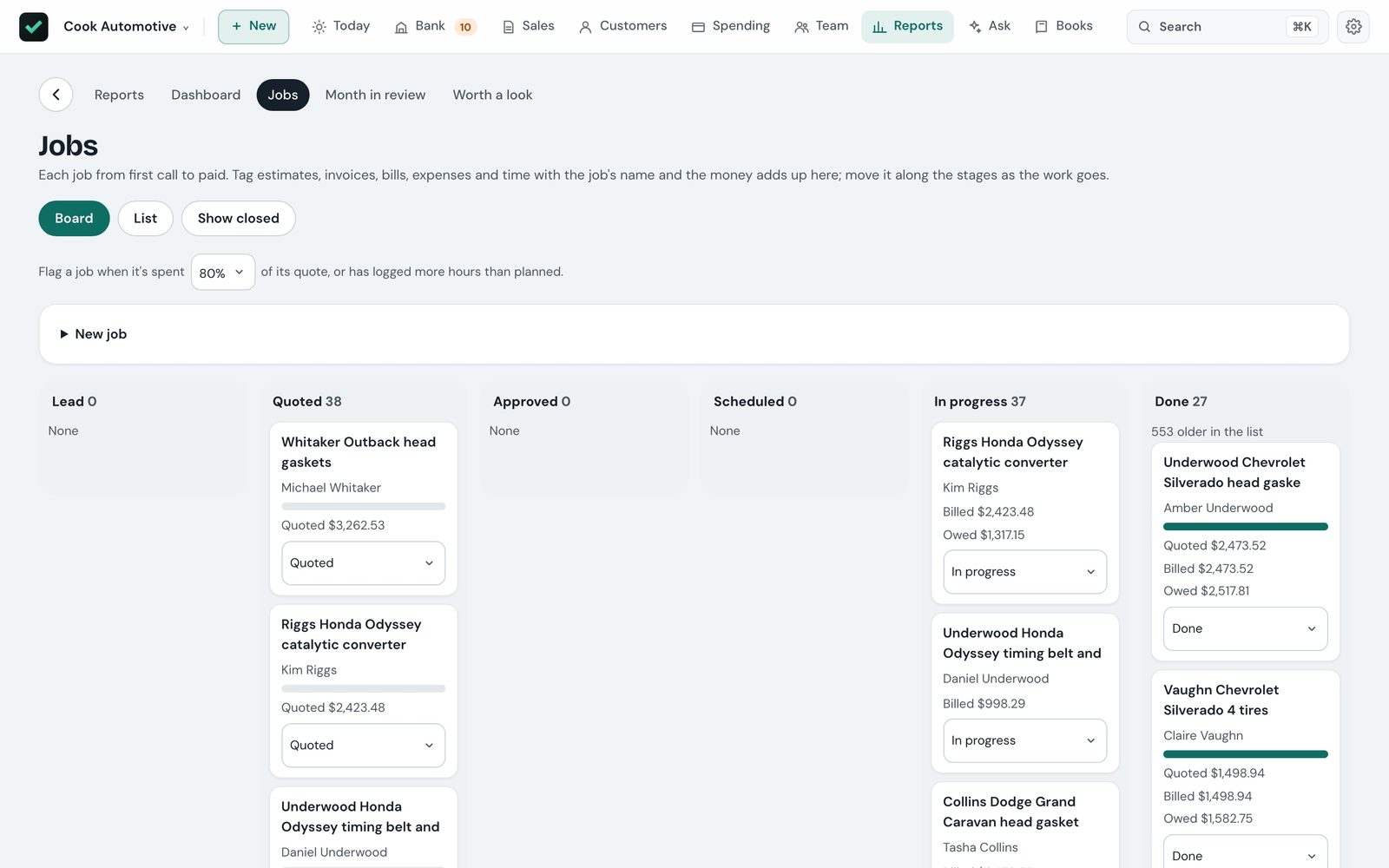
Profit by job, labour included
Crew time is costed at each person's own rate plus your share of payroll taxes, with a warning when a job runs over its estimate.
Stock and reorders
Your price list and what's on the shelf, with purchase orders drafted when something runs low — and the counter and invoices drawing from the same stock.
Fixed assets and loans
Straight-line or MACRS depreciation posted for you, a page per truck or lift with its papers, and loans split into interest and principal.
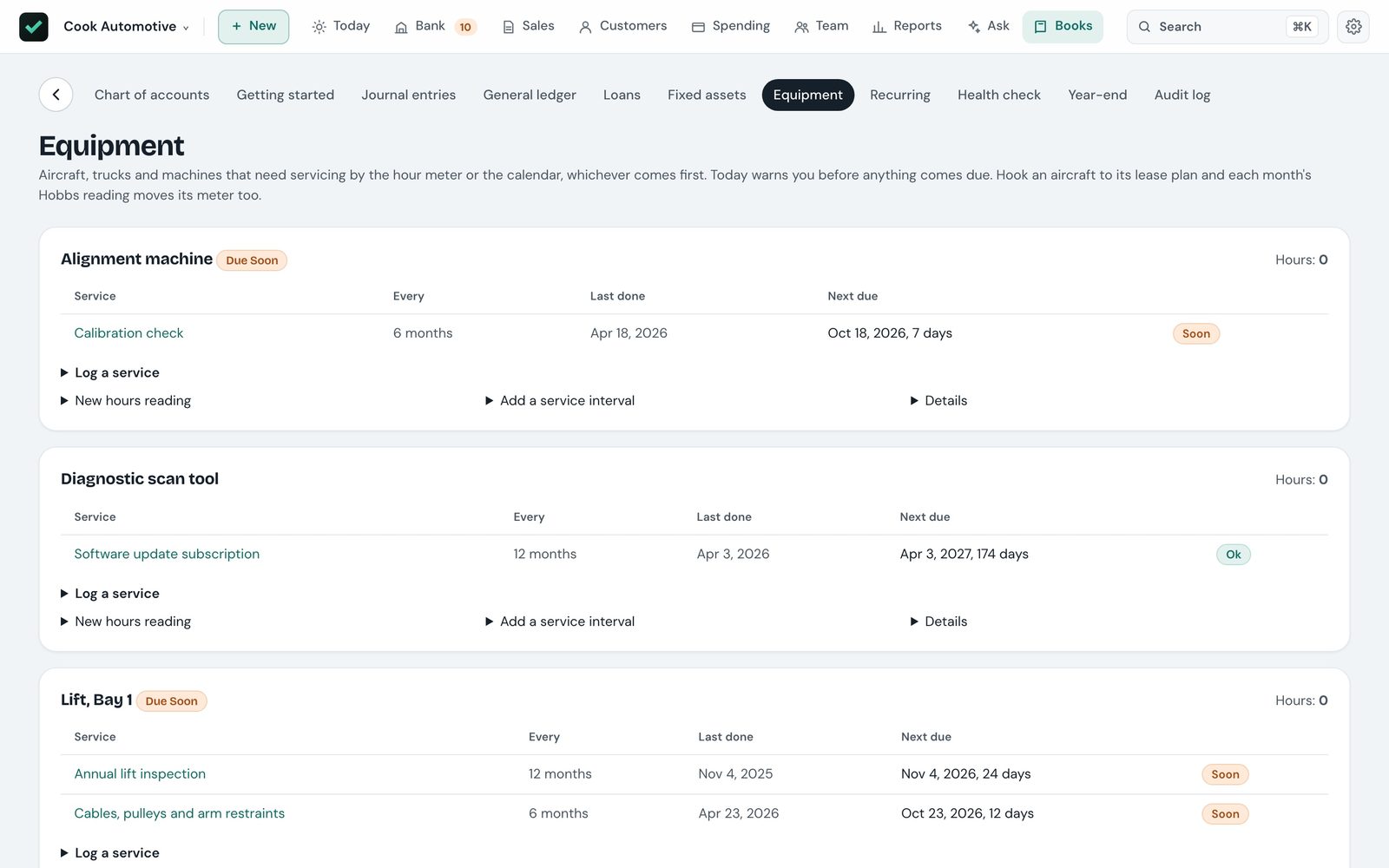
Equipment service
Service intervals by hours, months or both — whichever comes first — with a warning on Today before each is due.
The numbers, what changed, and what's coming
Profit and loss, balance sheet, cash flow and the general ledger — each comparable to the period before or a year earlier, and every amount a link to what's behind it.
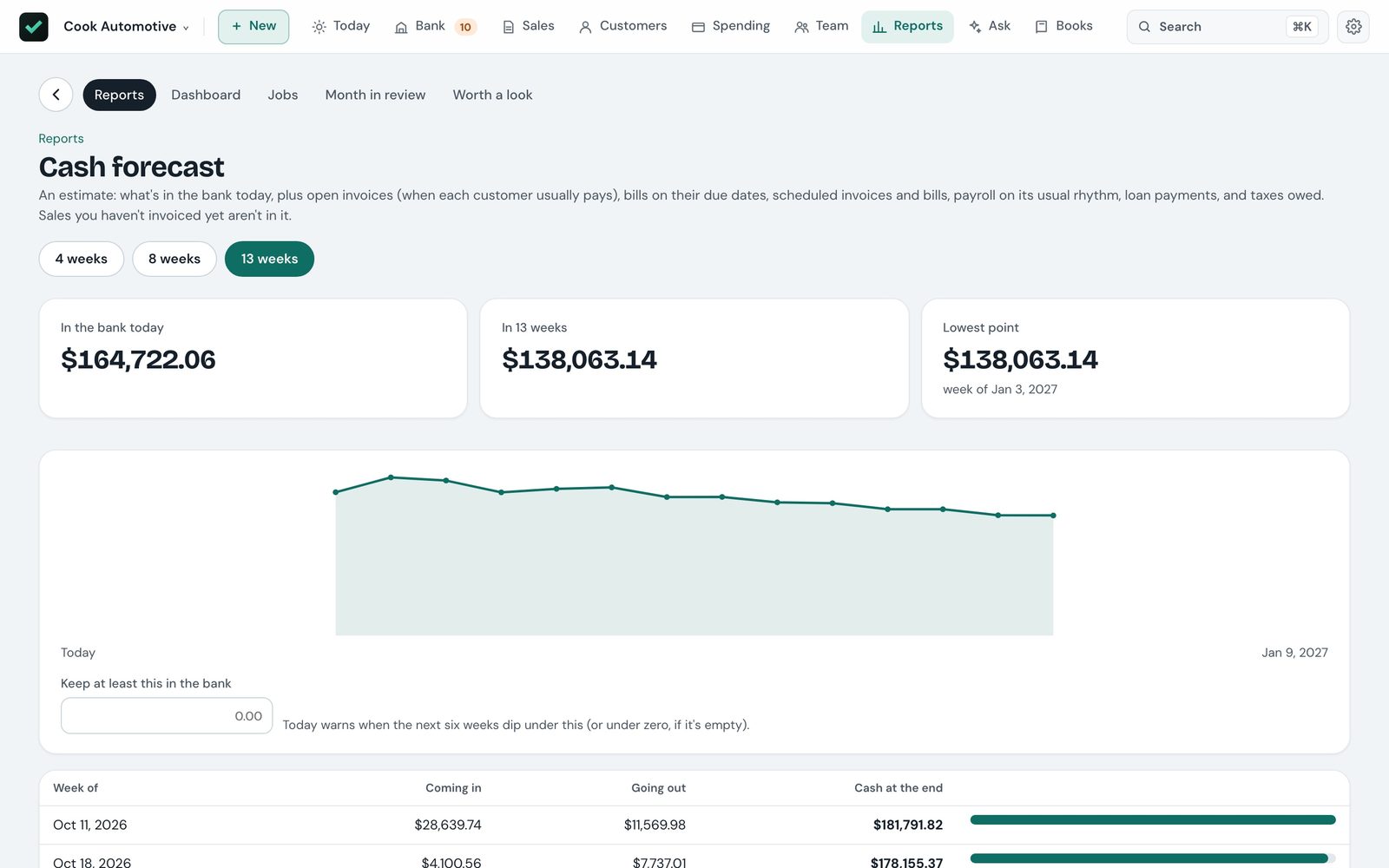
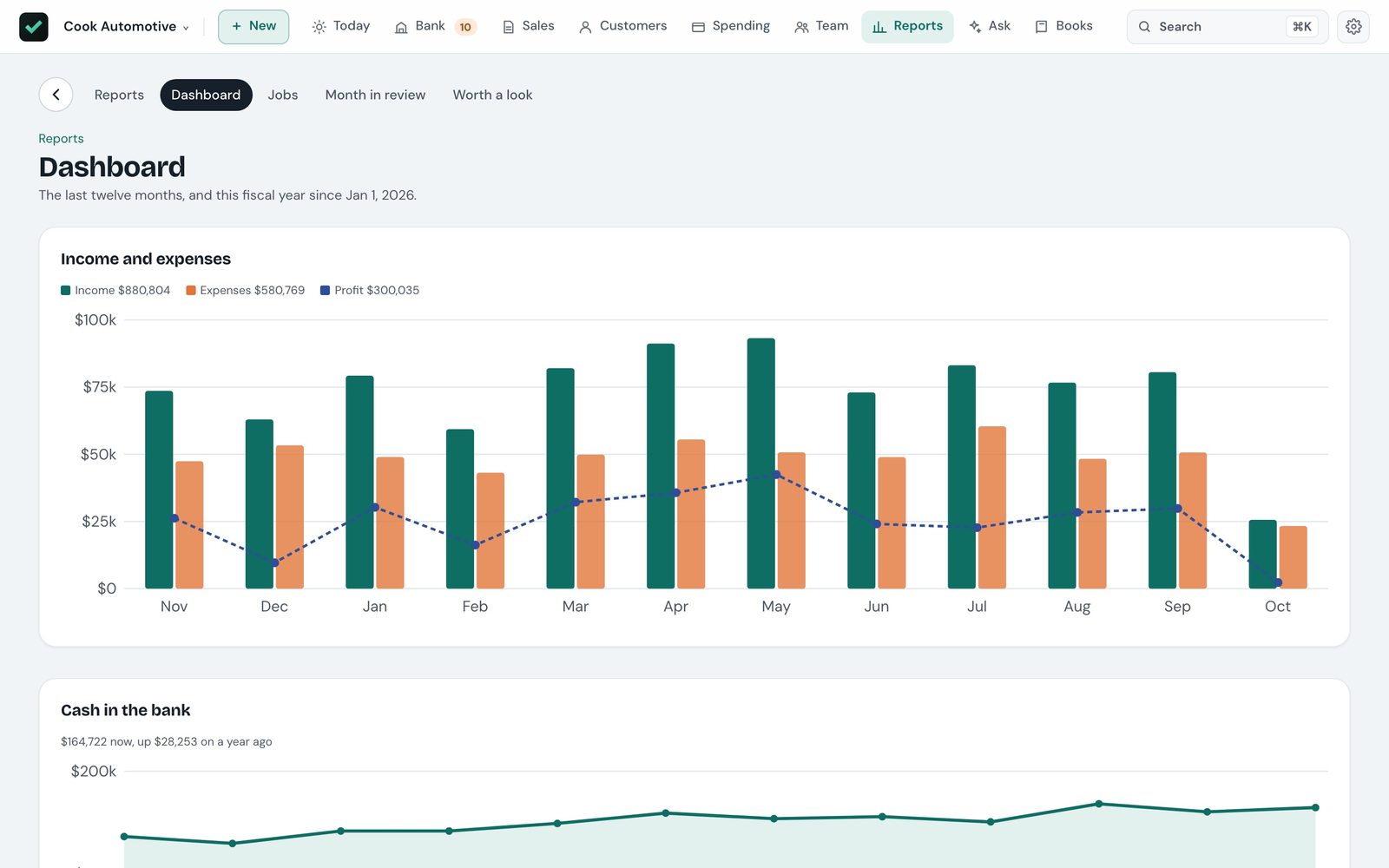
Month in review
Income, expenses and profit against last month and a year earlier, with the biggest changes called out and a few plain sentences written from the figures.
Worth a look
Plain checks on the numbers: the same bill twice, an expense well above its usual month, a charge four times a vendor's normal. Each can be dismissed.
Sales tax, Schedule C and 1099s
Sales tax worked out per agency with every return's due date, income and expenses by Schedule C line, and 1099-NEC copies for contractors.
Year-end, for your accountant
A checklist for the year, each item linked to where to fix it, then close the year and hand over a package your accountant can work from.
Say what you want to do
⌘K reads everyday phrasing — "record call for Angela", "new invoice for Kingsley 950 for patio work", "got paid by Swift", "book the Hartmans friday" — and opens the right page, filled in. Nothing is saved until you confirm it there.
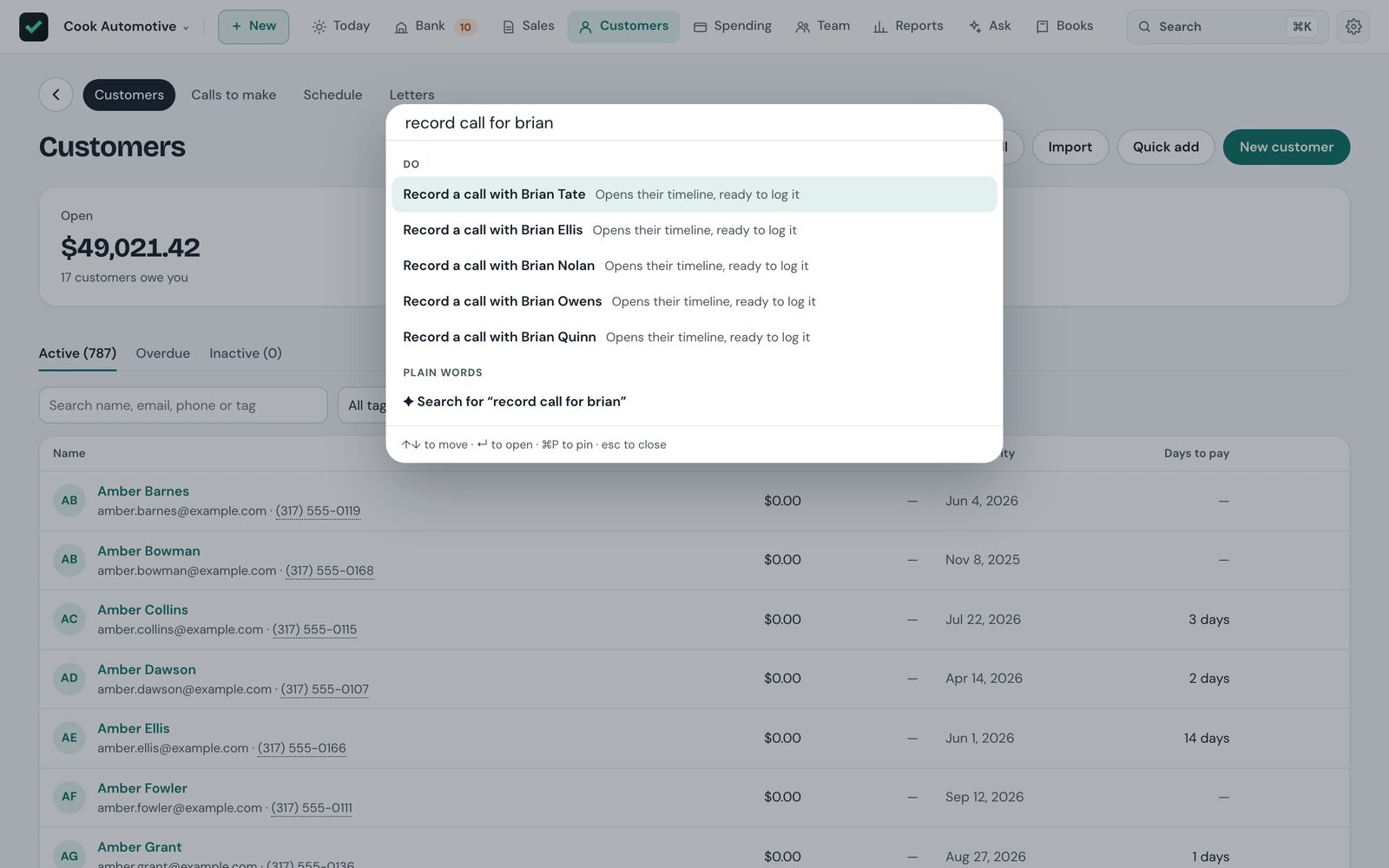
One box over everything
Find invoices by number, customers by name, phone in any format or account number, accounts by code, and any amount — every document for exactly that much.
Questions, answered with a chart
"Which customers were slowest to pay this year?" Ask about your own books in plain words and get an answer from your own figures.
Drafts from paper
Hand it a receipt, a vendor's bill or a letter and it drafts the entry for you to check. Have it write a text or an email to a customer from what's known about them.
Your key, or on-device
AI uses your own Claude API key, or Apple Intelligence on supported Macs, and only runs when you ask. Everything works without it.
Set up for your kind of business
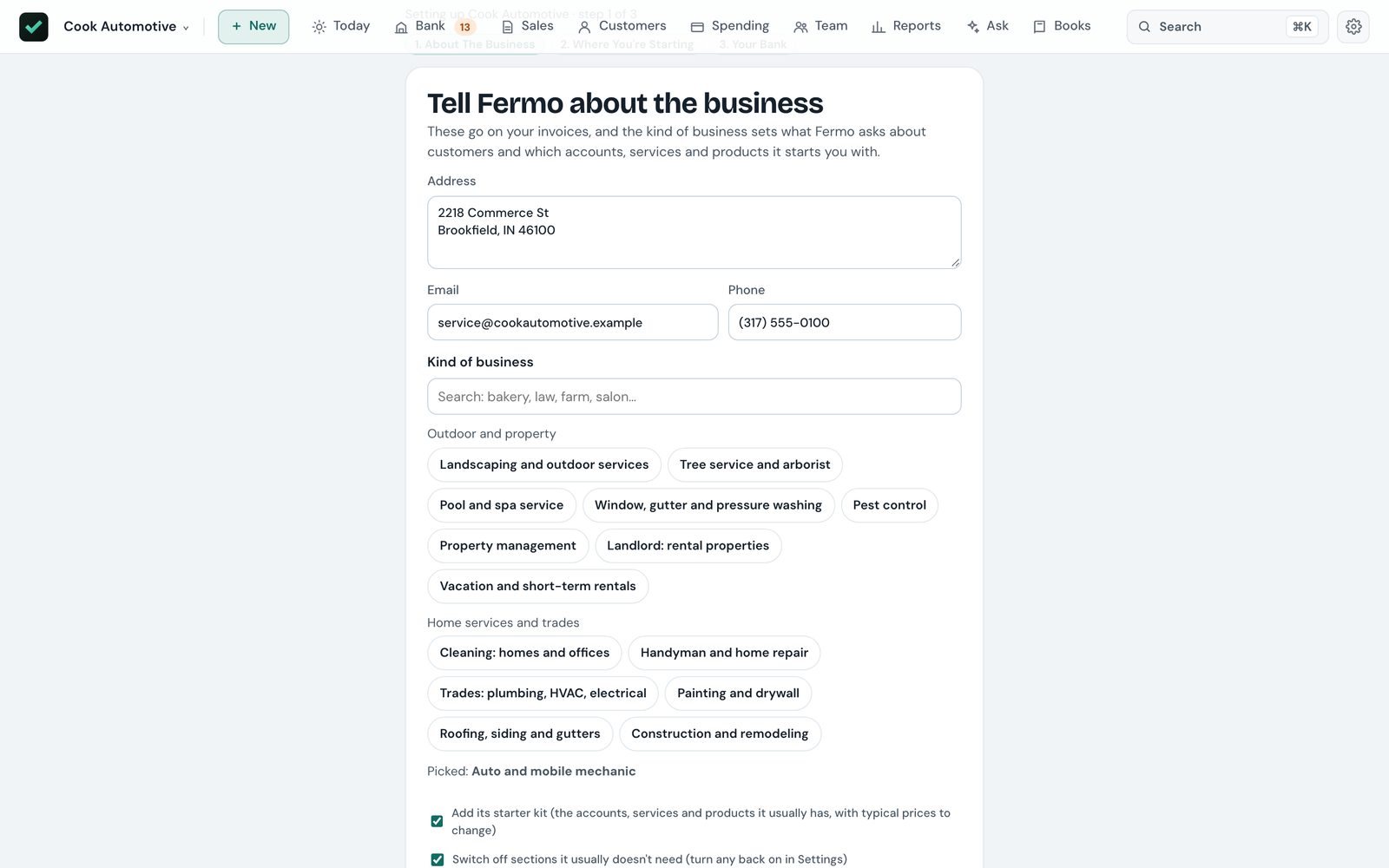
Pick from 48 kinds of business and Fermo starts you with the accounts, services and prices yours usually has, asks the right things about each customer, and hides the sections you won't use.
Your books are a file you own
No account, no lock-in
Nothing to sign up for. Export everything — the journal, every report, invoices, bills and contacts — to CSV whenever you like.
Backed up and checked
A backup every day, checked after it's made, thirty kept — with copies in iCloud Drive if you want them, so a lost Mac doesn't take the books with it.
Works offline
Everything but AI, online payments and the hosted customer portal works without an internet connection.
Never sends for you
Invoices, reminders, letters and texts open in your own mail app or Messages. You look them over and press send.
Before you ask
Can I move over from QuickBooks?
Yes. Export your accounts, customers, vendors, products, open invoices, unpaid bills and a trial balance as CSV, and Fermo sets your books up from them. Running it again only adds what's new.
Does it do payroll taxes?
No. Fermo records payroll — hours, pay runs, stubs, time off, what was withheld and paid. Your payroll service or accountant works out the taxes and files them.
Does my data leave my Mac?
Only when you send it. AI questions go to Anthropic with your own key, or stay on your Mac with Apple Intelligence. Online payments go through your own Stripe. If you turn on the customer portal, each customer's page is published to your own Cloudflare account so it works with your Mac off.
Can customers pay online?
Yes, through your own Stripe account: a Pay online link on each invoice, and a QR code at the counter. Checks, cash and transfers are recorded as before.
Can my accountant or crew use it?
Yes, on your own network. Turn on sharing in Settings and give each person a role. Crew get their day, hours and pay on their phone.
Is it a tax adviser?
No. Fermo keeps your books; your accountant still has the last word on taxes.
Pay once. Keep using it.
Fermo is in its last stretch before release, as a one-time purchase for the Mac with no monthly fee.